
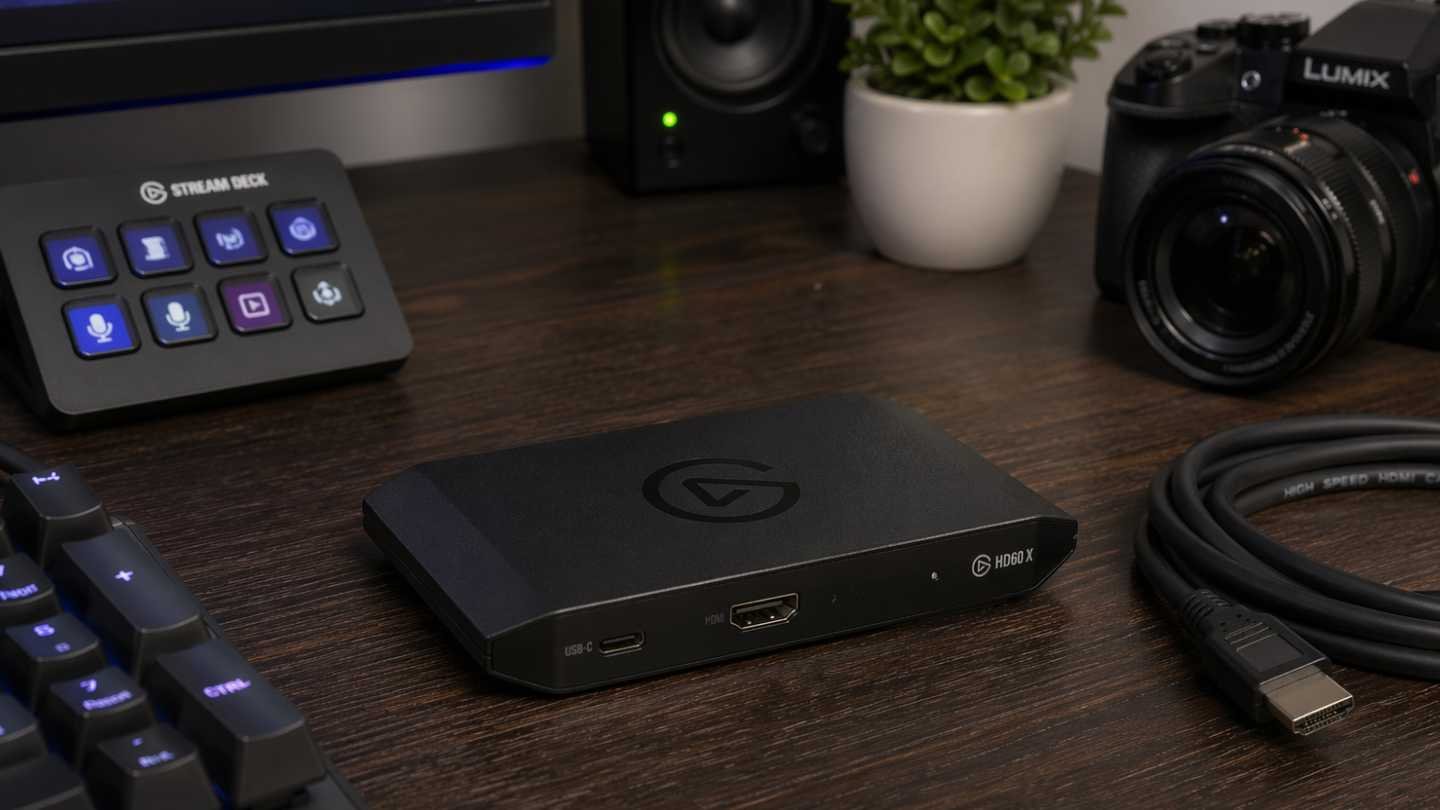
Budget, Mid-Range, and High-End options — which capture card actually deserves a spot in your streaming setup?
If you’re serious about streaming on Twitch, YouTube, Kick, or TikTok Live, a good capture card is one of the most important pieces of equipment you’ll buy. It determines the quality of your gameplay footage, your stream stability, and how professional your overall production looks.
A capture card is a device that takes high-quality video and audio from your gaming console, camera, or another PC and sends it to your streaming computer for encoding and broadcasting. Without one, you’re limited to lower-quality software capture or screen sharing.
In this guide, we break down the best capture cards across three budget tiers Budget | Mid-Range | High-End — so you can make the right choice for your streaming goals.
What Makes a Good Capture Card?
Before diving into specific models, here’s what actually matters:
- Resolution & Frame Rate Support (1080p60, 1440p, 4K60, etc.)
- Latency (how much delay between gameplay and stream)
- Ease of Use (plug-and-play vs complex setup)
- Software Compatibility (OBS Studio, Streamlabs, etc.)
- Extra Features (HDR, passthrough, multi-device support)
Now let’s look at the best options in each price category.
Budget Capture Cards (Under $150)
These are perfect for beginners or streamers just starting out.
Best Budget Pick: Elgato HD60 S+
Still one of the most reliable budget cards in 2026. It supports 1080p60 capture with very low latency and works seamlessly with OBS. It’s compact, easy to set up, and offers excellent value. Ideal for console streamers (PS5, Xbox Series X/S, Nintendo Switch).
Runner-up: AVerMedia Live Gamer Mini
Slightly cheaper than the HD60 S+ and delivers solid 1080p60 performance. Great for new streamers who want something simple and affordable.
Who Should Buy Budget Cards?
- New streamers with limited budgets
- Console-only gamers
- People who mainly stream at 1080p
Limitation: Most budget cards top out at 1080p60 and don’t support 4K or advanced HDR features.
Mid-Range Capture Cards ($150 – $300)
This is the sweet spot for most serious streamers.
Best Mid-Range Pick: Elgato 4K60 S+
Still a favorite in 2026. It supports 4K60 HDR capture with passthrough, meaning you can play games in 4K on your TV while streaming in high quality. The build quality is excellent and the software (4K Capture Utility) is very user-friendly.
Strong Alternative: AVerMedia Live Gamer 4K
Excellent 4K60 capture with very low latency. It also supports HDR and works great with both consoles and high-end PCs.
Best Value in 2026: EVGA XR1 Pro Often overlooked but delivers outstanding performance at a competitive price.
Who Should Buy Mid-Range Cards?
- Streamers who want 1440p or 4K quality
- Creators who mix console and PC gameplay
- Streamers who care about low latency and future-proofing
These cards offer a noticeable jump in quality and features compared to budget options.
High-End Capture Cards ($300+)
For serious streamers, content creators, and professionals who demand the absolute best.
Best High-End Pick: Elgato 4K60 Pro MK.2
This internal PCIe card is still the gold standard for high-end streaming setups. It offers pristine 4K60 HDR10 capture with virtually zero latency. Perfect for competitive gamers and creators who want maximum quality.
Premium Alternative: Blackmagic Design DeckLink Mini Recorder 4K**
Used heavily in professional broadcast environments. Extremely high quality, though the software learning curve is steeper.
Best New Contender 2026: AVerMedia Live Gamer Ultra 2.1
Newer model with excellent 8K passthrough and advanced features for next-gen consoles and high-refresh-rate PCs.
Who Should Buy High-End Cards?
- Full-time streamers and content creators
- People who stream in 4K or high frame rates
- Professionals who need rock-solid reliability and low latency
How to Choose the Right Capture Card for You
- Just Starting Out → Go with a budget card like the Elgato HD60 S+
- Growing Streamer → Mid-range options like the Elgato 4K60 S+ give the best balance
- Serious / Professional → Invest in a high-end internal card like the 4K60 Pro MK.2
Also consider:
- Do you stream from console, PC, or both?
- What resolution and frame rate do you want to stream at?
- Do you need HDR support?
- Are you comfortable installing an internal card?
In Conclusion
A good capture card is one of the highest-ROI upgrades you can make for your streaming setup. It directly improves the quality of your content, reduces technical issues, and helps you look more professional to your audience.
Start with a budget or mid-range card if you’re just beginning. As your channel grows and your demands increase, upgrading to a high-end capture card becomes a worthwhile investment.
The difference between average and excellent streaming quality often comes down to having the right tools. A quality capture card is one of those tools that pays for itself through better content, higher retention, and faster growth.
Ready to take your streams to the next level? Choose the capture card that matches your current goals — and upgrade as you grow.

0 Comments